
|
Dashboard |
|
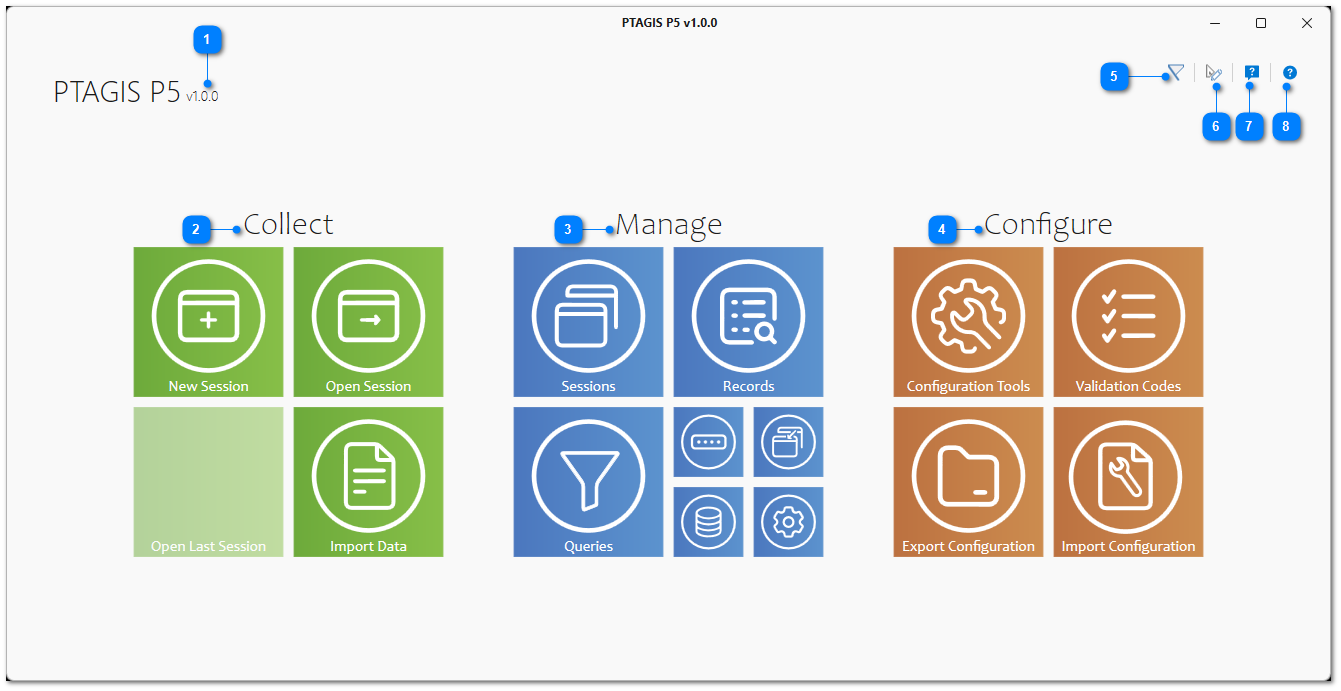
This is the P5 home screen and contains navigation tiles that are grouped into three main feature categories: Collect, Manage, and Configure. In the top-right corner is an application-wide tool bar with buttons to access the help system, to view PTAGIS contact information, to change display themes, and to view notifications.

|
Contains features related to collecting and importing PIT tag data. |

|
Contains features related to managing and submitting data to PTAGIS along with database and layout utilities. |

|
Contains features related to setting up P5 and transferring those settings to other computers. |


|
Used to select the display theme of P5: Light, Dark, or System, which matches the Windows system setting. |

Create Support Request |
|
|
Used to create and send a request to PTAGIS if you have a question, comment, or experience an error while using P5. |

